
MAIXON IMAGE FINDER

Remember the picture.
Forget the filename.

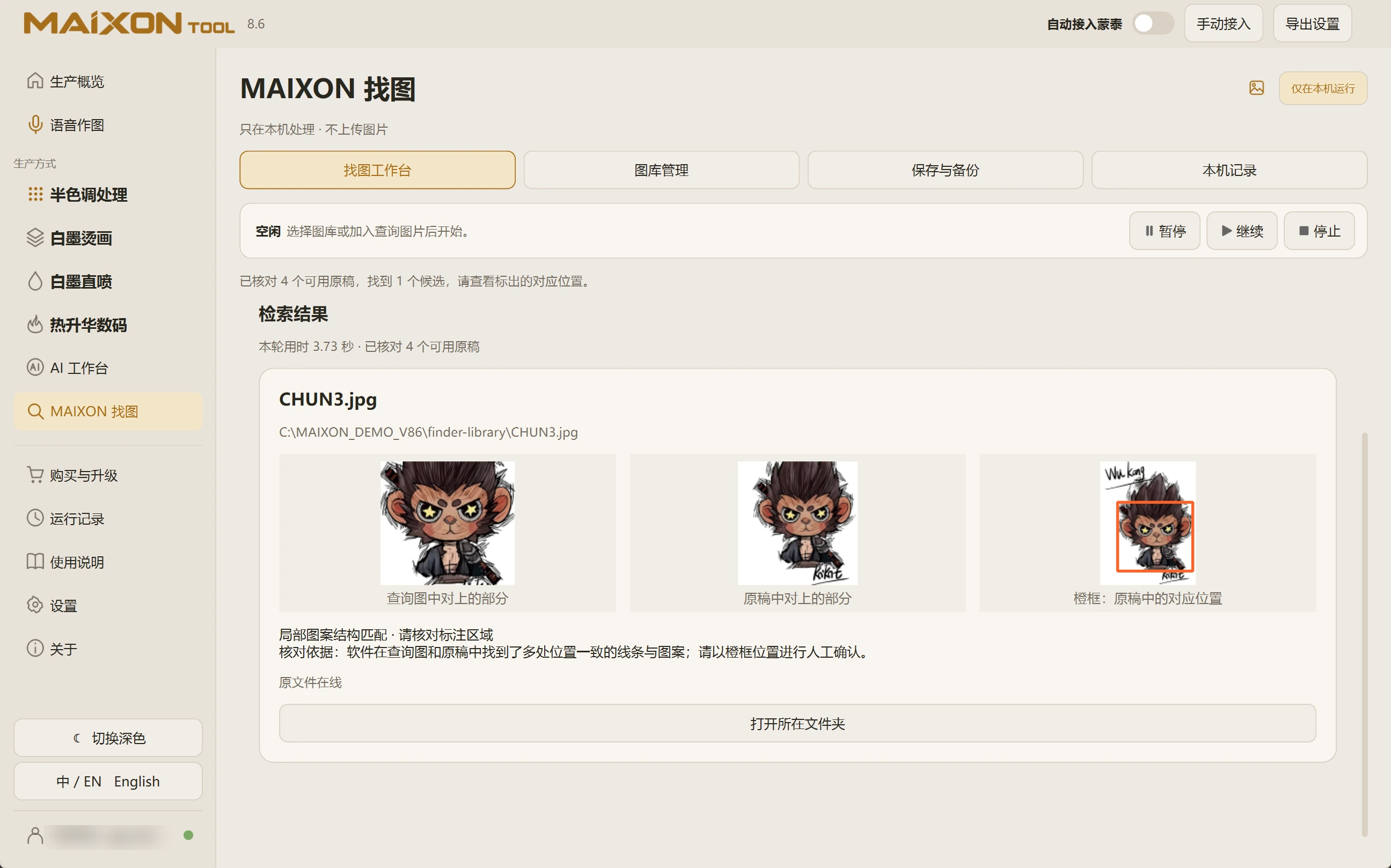
Choose a library on a local or external drive, prepare its index, then add a reference image. Select the print region when needed, compare candidates and locate the original file.

MAIXON TOOL V8.6 MAIXON IMAGE FINDER — light interface
MAIXON IMAGE FINDER

Explore each capability.

Start your first task in this order.

  1. Choose a library folder or drive
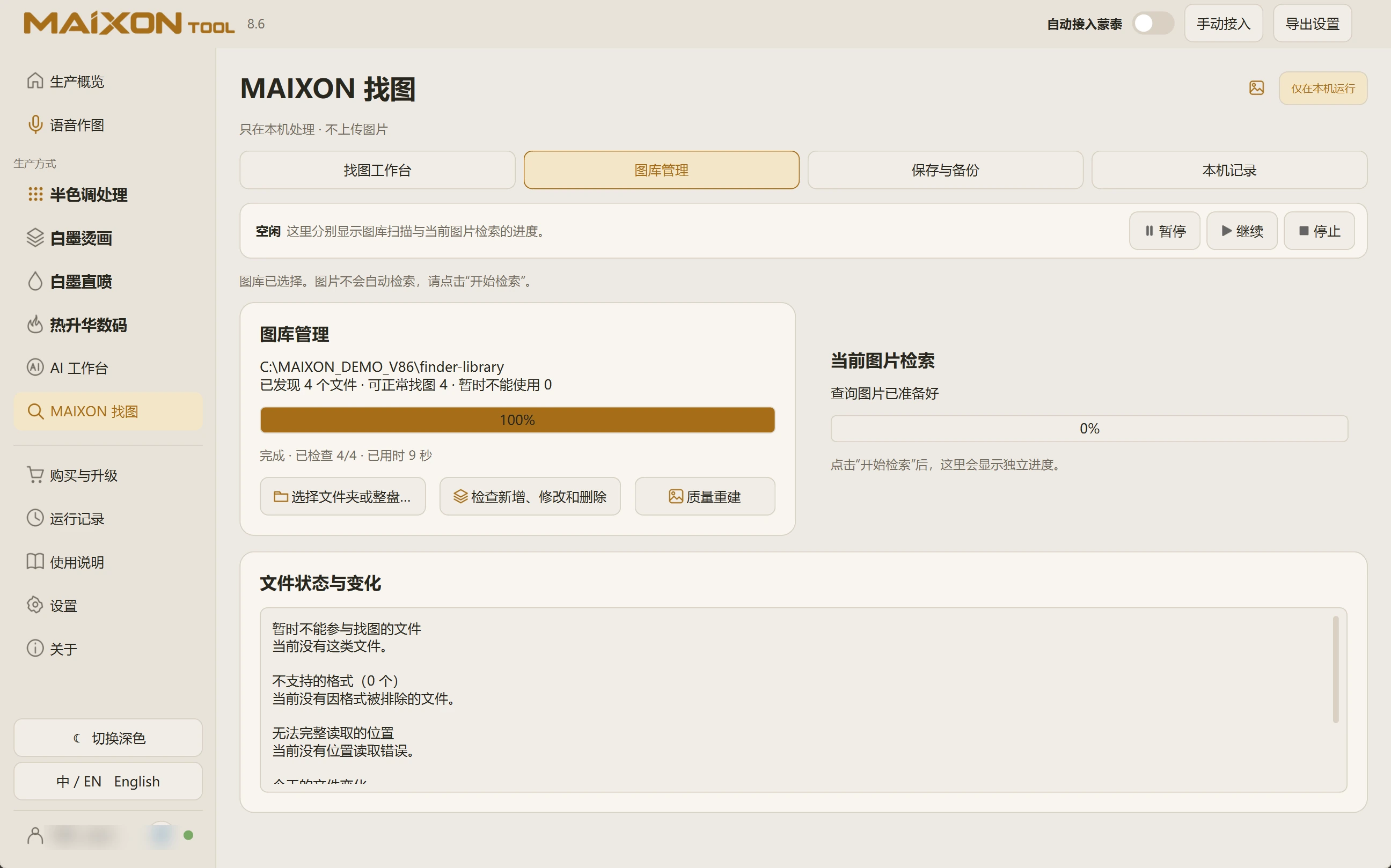
  2. Prepare the library; check changes on later visits
  3. Load a reference and optionally select its print region
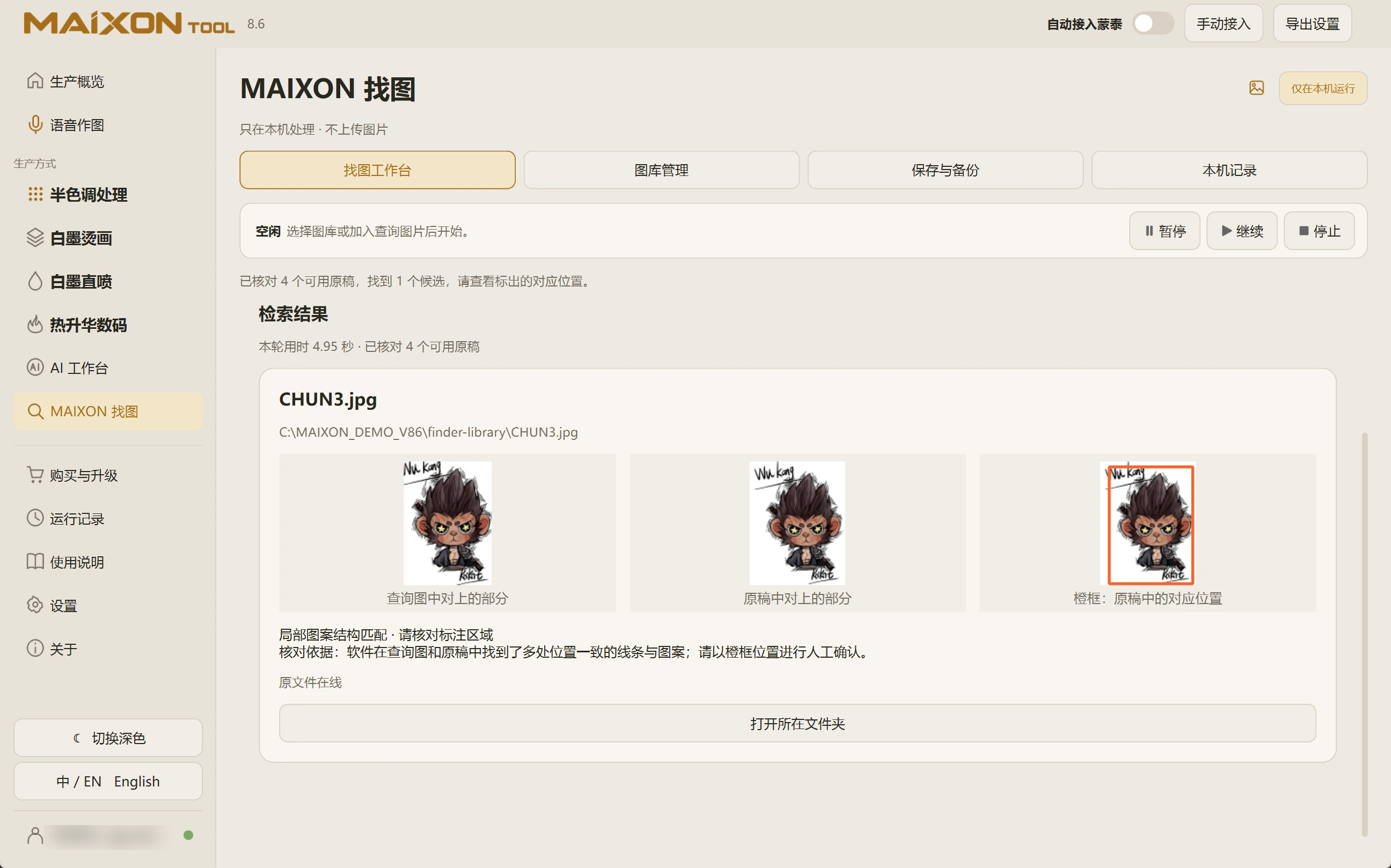
  4. Search, compare candidates and locate the original

A few details to check.

  • Original files stay in their folders; local indexes and previews support retrieval.
  • Initial processing depends on library size and disk performance.
  • A similar match is a lead. Inspect the original before production.

Check the usable-file count and validate with a known reference after indexing. For unreadable PSDs, export RGB reference images while retaining the corresponding originals.
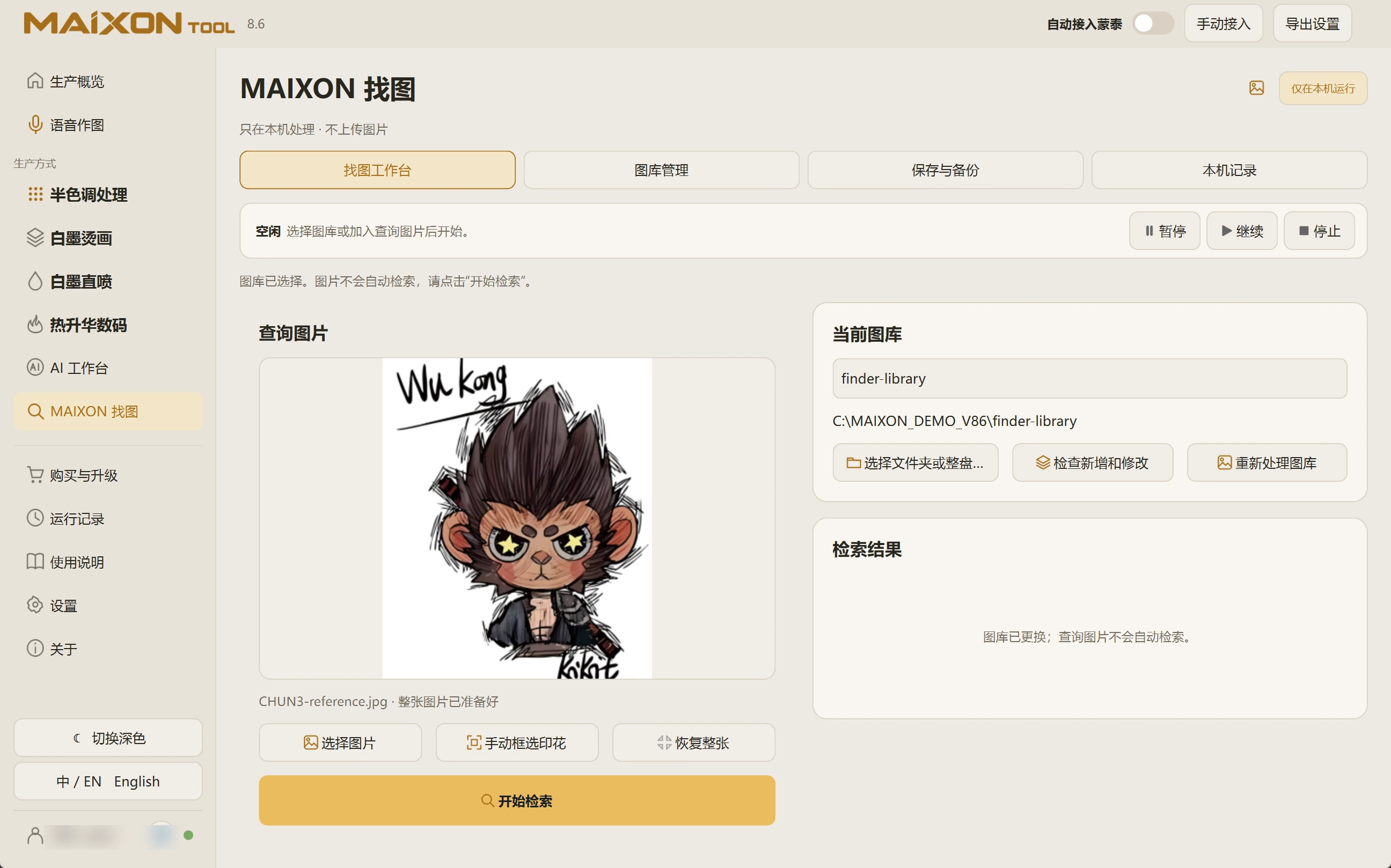
01 · Prepare a known library

Choose a local or external folder. Start with a small, known collection. Wait for indexing and check usable and unreadable counts in Library Management.

If the usable count is zero, resolve file reading before searching.

02 · Choose a useful reference

Load a reference image in the search workspace. Use the print-region selection to reduce irrelevant clothing or background.

Retain distinctive text and details that help distinguish similar designs.

03 · Compare and locate

Run the search, then compare the reference, candidate and matched region. Similar filenames alone are not evidence of a match.

Locate the source file and inspect resolution, color mode and complete content before production.

04 · Maintain the library

Check updates after adding or modifying files. Keep external drives connected at the expected path.

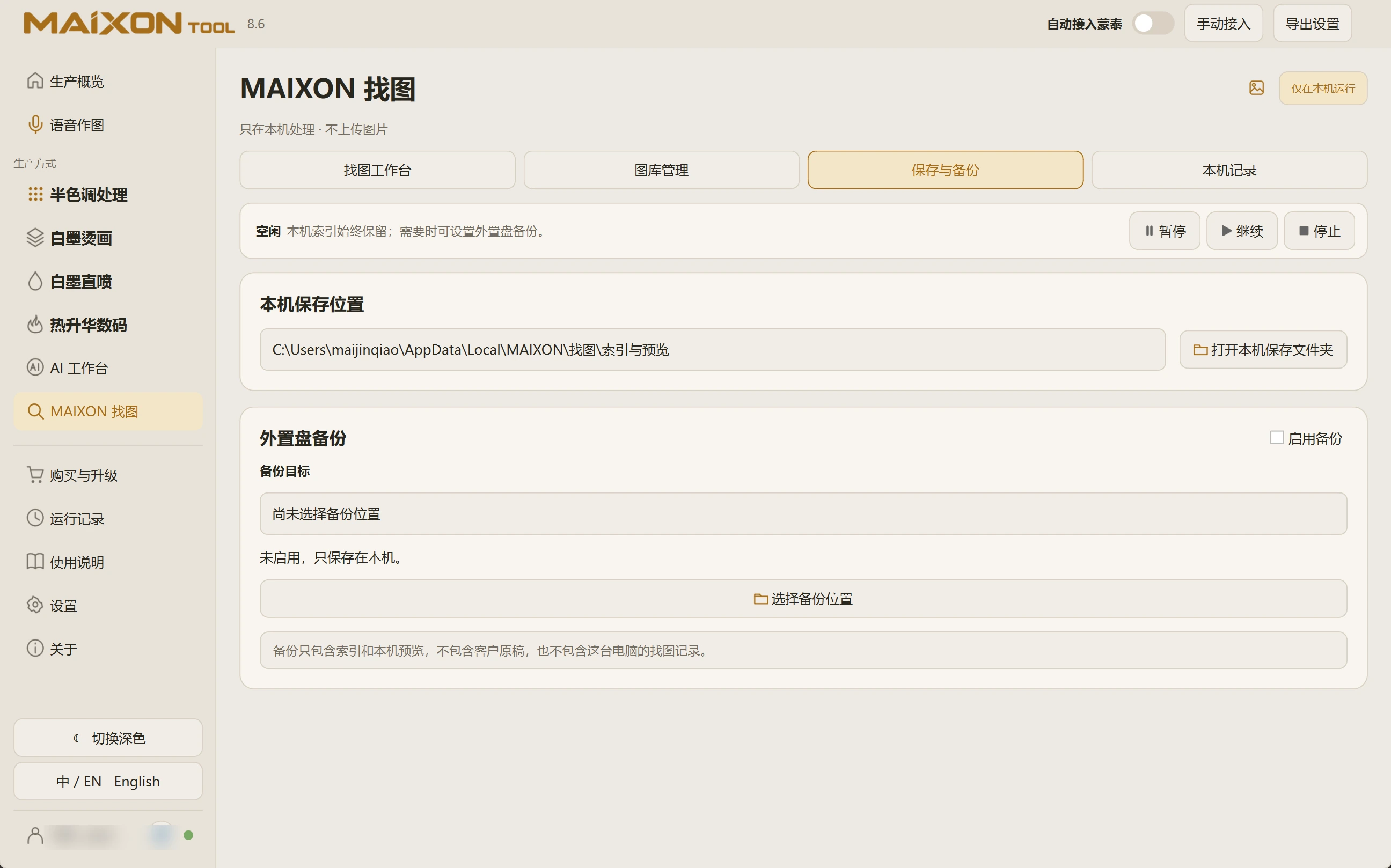
Storage Location shows where search data is kept. For unreadable files, export standard RGB references and retain the original artwork.

Explore every view.

Choose your operating system

Select the version that matches your computer.

  1. 01

    Windows 7

    V8.3

    Download
  2. 02

    Windows 10

    V8.3

    Download
  3. 03

    Windows 11

    V8.3

    Download
  4. 04

    macOS

    Coming Soon