
HALFTONE

Halftone processing modes

Preserve tonal detail. Or cover the image with dots.

Choose the processing mode and compare tone-preserving and full-image dot effects for your artwork.

Automated halftone processing0:37

01

Load the artwork and choose a mode.

Import a file or use the current Photoshop image. Confirm its content before choosing the processing mode.

If transparency is needed, remove the background in the AI Workbench and save a transparent image first.

02

Compare the dot effects.

Switch between tone-preserving and full-image dots, observing highlights, shadows and details. Consider output width and dot density together.

Refine the settings, then inspect the artwork at its physical output size in Photoshop.
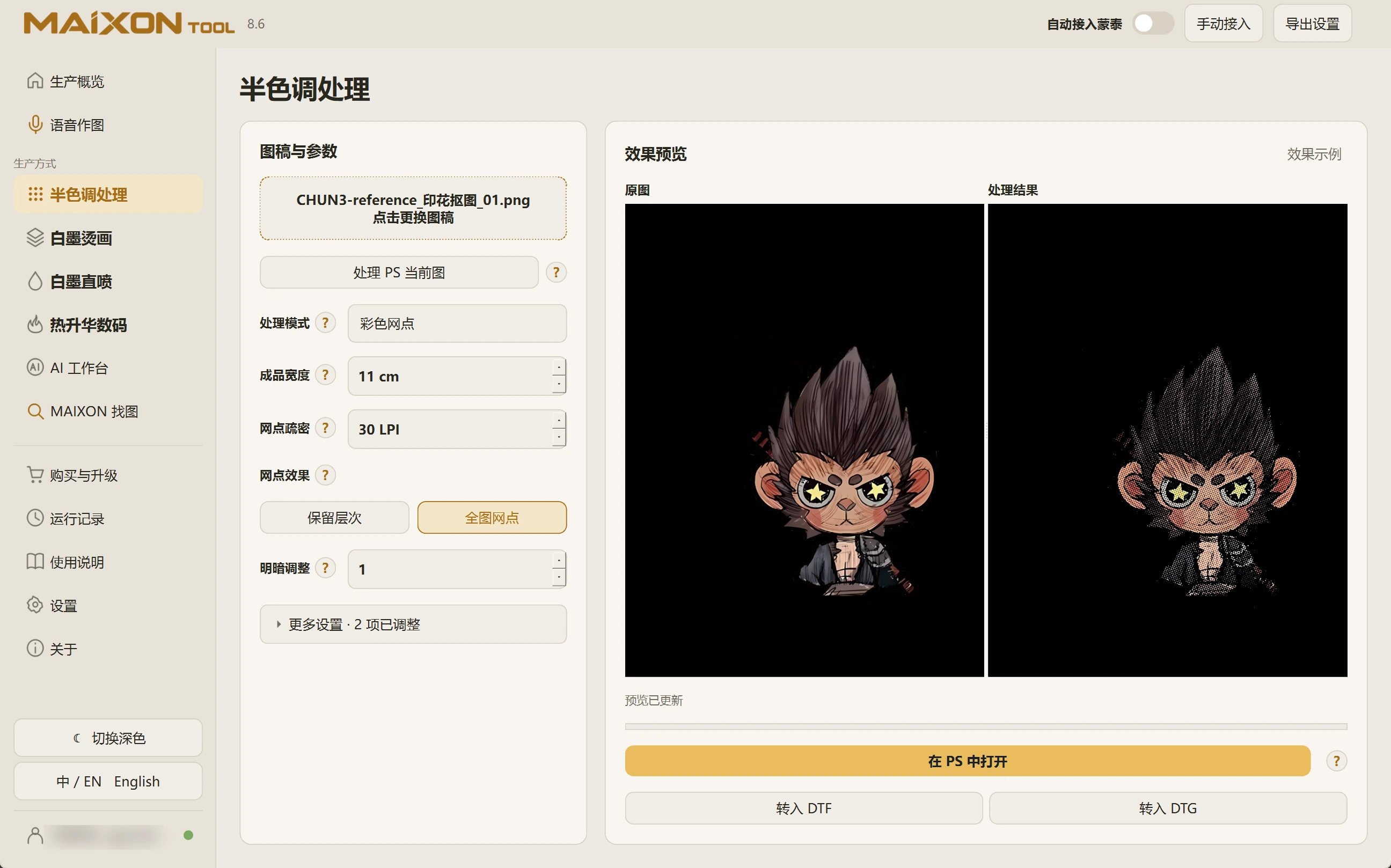
MAIXON TOOL V8.6 Halftone processing modes — light interface
Halftone processing modes

Keep exploring.

Choose your operating system

Select the version that matches your computer.

  1. 01

    Windows 7

    V8.3

    Download
  2. 02

    Windows 10

    V8.3

    Download
  3. 03

    Windows 11

    V8.3

    Download
  4. 04

    macOS

    Coming Soon