
VOICE COMMANDS

Review and execute

See every setting before automation begins.

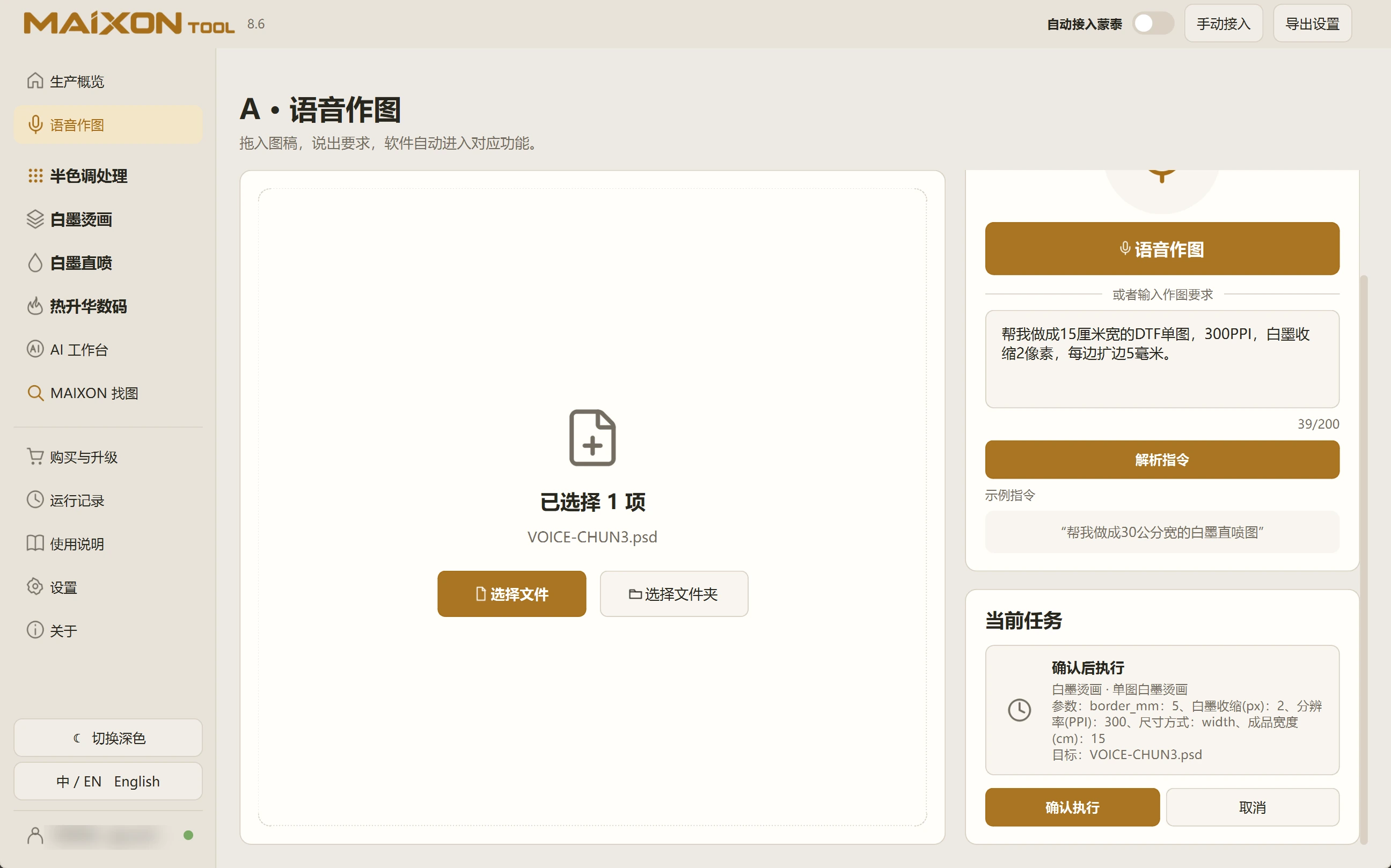
The task card brings the interpreted operation and parameters together. Check the input, size and white ink, then run and inspect the output.

MAIXON TOOL V8.6 Review and execute — light interface
Review and execute

01

Check the current task.

Review the input artwork, task type, dimensions, resolution, white choke and margins. Scroll through longer cards to see all settings.

Return to the request if changes are needed. Confirm execution only after the card is correct.

02

Inspect the completed output.

For Photoshop-based tasks, confirm the connection and keep Photoshop available. Open the exported file to inspect canvas size, resolution and the white channel.

Use the run log to understand progress or errors. Resolve the cause before repeating a failed task.

Keep exploring.

Choose your operating system

Select the version that matches your computer.

  1. 01

    Windows 7

    V8.3

    Download
  2. 02

    Windows 10

    V8.3

    Download
  3. 03

    Windows 11

    V8.3

    Download
  4. 04

    macOS

    Coming Soon