
DTG

A connected DTG workflow

Image preparation, fabric selection, channel generation and MainTop processing follow one continuous path.

A connected DTG workflow0:51

Follow the workflow, step by step.

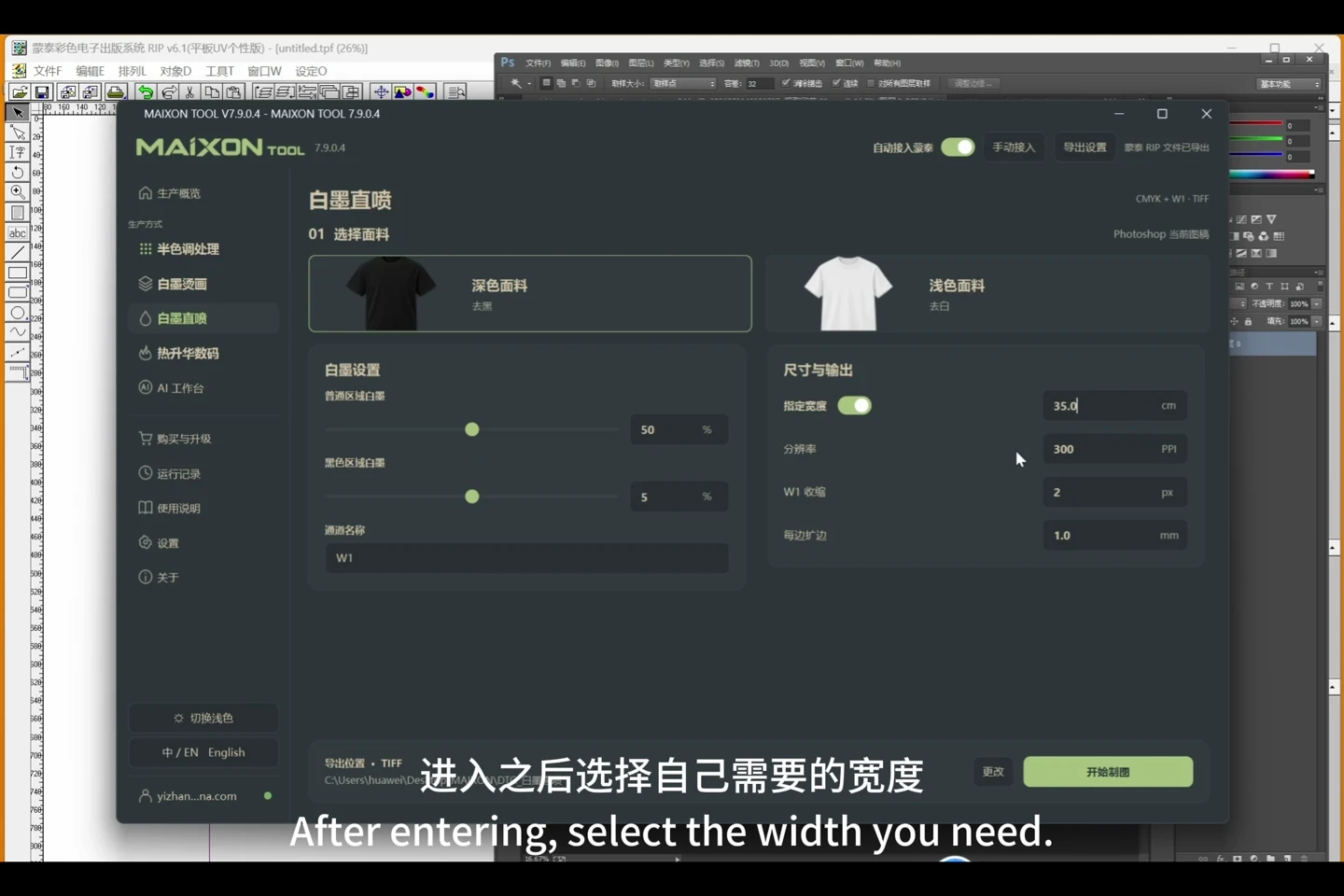
  1. After preparing the artwork, open the DTG workspace.
  2. Review fabric type, dimensions, white-ink amounts and margins.
  3. Start processing to generate the production file.
  4. Continue into MainTop and inspect the job and output.
Choose your operating system

Select the version that matches your computer.

  1. 01

    Windows 7

    V8.3

    Download
  2. 02

    Windows 10

    V8.3

    Download
  3. 03

    Windows 11

    V8.3

    Download
  4. 04

    macOS

    Coming Soon